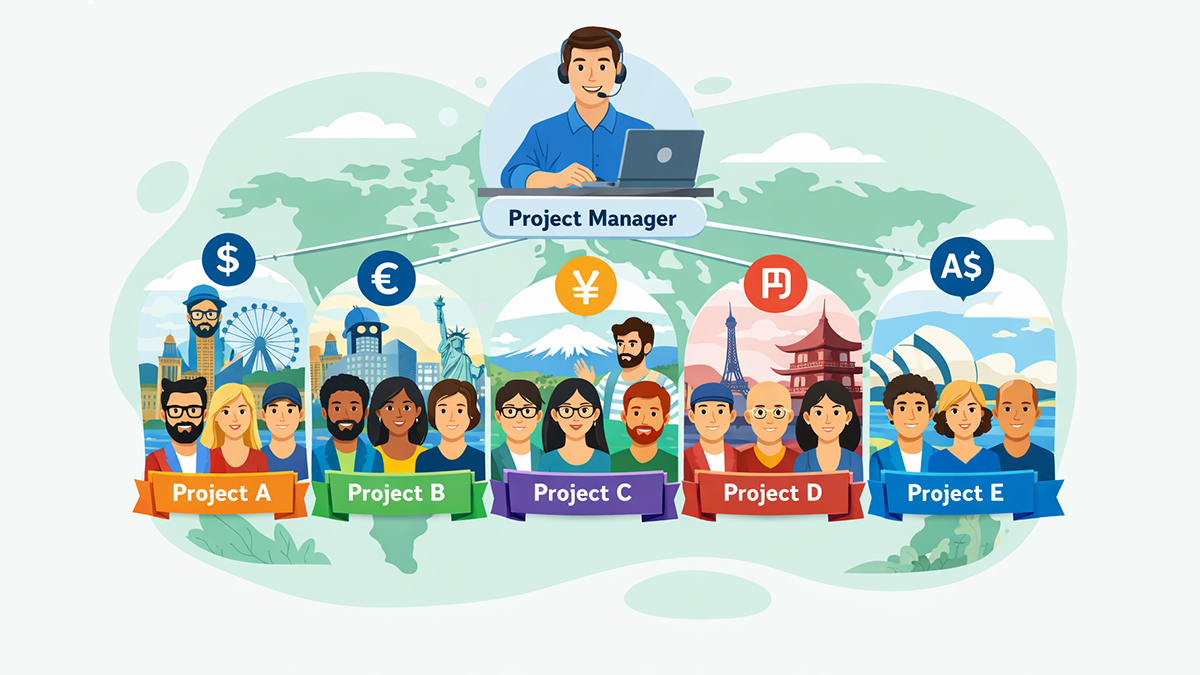
Remotework (often called work from home or WFH) means doing your jobfrom home or another location instead of a traditional office. work from homeWFHinstead of In simple
terms: you still do the same work—meetings, tasks, communication,
deliverables—but your “workplace” is no longer one fixed building. It could be
your home office, a co-working space, or even a different city.
Remote
work has become a major part of modern work life because technology makes it
possible to collaborate without being in the same room. Tools like video calls,
team chat, cloud documents, and project boards allow teams to plan, build,
review, and ship work from anywhere.
Remote Work vs WFH vs Hybrid Work: What’s the difference?
Beginners
often mix these terms, so let’s make them clear:
- Remote work: The broad term—working outside
the office (home, café, co-working space, another city).
- Work from home (WFH): A type of remote
work—specifically working from your home.
- Hybrid work: A mix—some days in the office,
some days remote.
Why
does this matter? Because communication, scheduling, and performance
measurement can look different in each model. For example, hybrid teams often
need stronger coordination so remote days don’t feel “second-class” compared to
office days.
How remote work became popular: a quick history
Working
from home isn’t new. People have done home-based work for centuries. But remote
work at scale (especially for large employers) grew when technology started
supporting distributed teams.
- 1970s: Remote work began appearing in
modern corporate environments on a small scale. Early networks linked
remote offices to central systems using phone lines and basic terminals.
The terms telecommuting and telework were introduced during
this era.
- 1990s–2000s: Remote work became more common
as internet access improved and companies adopted tools like email,
conference calls, VPNs, and later cloud collaboration.
- 2020: COVID-19 caused a rapid global
shift: many office workers moved to remote work quickly, and even after
restrictions eased, a large number of organisations continued with remote
or hybrid arrangements.
So
remote work didn’t “start in 2020”—but 2020 made it mainstream much faster.
Why organisations adopt remote work
Remote
work is not just a trend; it’s often a strategic decision. Supporters argue it
brings multiple advantages for both employers and employees.
1) Lower costs for companies and workers
Companies
can reduce office costs such as space, utilities, and some facility expenses.
Workers save money and time on commuting, fuel, daily meals, and sometimes work
clothing. For many people, the biggest win is simply getting hours back each
week that used to disappear in traffic.
2) More flexibility and autonomy
Remote
work often gives people more control over how they structure their day. That
autonomy can improve motivation and job satisfaction—especially when
performance is measured by results rather than “being seen” at a desk.
3) Access to a wider talent pool
Employers
can hire beyond one city. Remote work makes it easier to build geographically
distributed teams and find specialised skills. Employees can also relocate to
places they prefer to live, sometimes with a lower cost of living.
4) Environmental benefits
Fewer
commutes can reduce traffic congestion and pollution. Many studies suggest that
less commuting reduces energy use from personal transportation. Some people
also believe remote work can support climate goals by reducing daily travel.
The real challenges of remote work (and why it can feel
hard)
Remote
work is powerful—but it’s not “automatic productivity.” Without the right
habits and systems, teams can struggle.
1) Communication isn’t the same as face-to-face
Video
calls and messages help, but they don’t fully replace in-person cues. It can be
harder to pick up tone, body language, or quick “over-the-desk” clarifications.
Misunderstandings may increase, and decision-making can slow down if roles and
responsibilities aren’t clear.
2) Distractions and weak home setup
Some
people don’t have a quiet workspace, stable internet, or proper equipment. Home
distractions—family, neighbours, pets—can reduce focus. Remote work can
increase productivity for deep tasks, but only if the environment supports it.
3) Work–life boundaries blur
When
your work and personal life happen in the same place, it’s easy to overwork.
Many remote workers struggle to “switch off,” which can affect sleep,
wellbeing, and long-term performance.
4) Isolation and weaker team connection
Less
informal social interaction can create loneliness. New team members may find it
harder to build relationships and learn company culture. Over time, weaker
connection can reduce collaboration and engagement unless teams actively build
culture.
5) Trust and “visibility bias”
Some
managers worry about losing control when employees aren’t physically present.
In some workplaces, people may be judged by visibility rather than output. That
creates stress for remote workers who feel pressure to prove they are working.
Remote work success = clear expectations + smart systems
Remote
work works best when a team has simple, consistent systems. Here’s a
beginner-friendly checklist.
Step 1: Measure outcomes, not presence
Instead
of tracking “hours at desk,” agree on:
- What “done” looks like
- Deadlines and priorities
- Ownership (who is responsible)
- How progress is reported
This
reduces confusion and makes remote work fair.
Step 2: Use a healthy communication rhythm
A
strong rhythm helps teams avoid endless meetings:
- Short stand-up (10 minutes) daily or 3x/week
- Weekly planning to set priorities
- Weekly review to learn and improve
- Document decisions in one place
(not lost in chat)
Step 3: Make deep work time protected
Remote
work can be excellent for focus-heavy tasks if you protect concentration:
- Time-block focus sessions
- Keep meetings grouped
- Use async updates where
possible
- Encourage “do not disturb”
windows
Step 4: Create boundaries to prevent burnout
Remote
work should not mean “always online.”
- Set start/end times
- Encourage proper breaks
- Avoid late-night messaging
culture
- Respect time zones for
distributed teams
Step 5: Track time ethically (for clarity, not
micromanagement)
Time
tracking can be incredibly helpful—if used in the right way. Healthy time
tracking supports:
- Better planning and realistic
deadlines
- Workload balance (spot overload
early)
- Accountability without pressure
- Productivity insights (where
time goes)
The
goal should be improvement and wellbeing—not surveillance.
How ZMorning helps remote and hybrid teams stay productive
Remote
teams often face a common problem: lack of visibility. When people
aren’t in the same room, it’s harder to know:
- What’s in progress
- What’s blocked
- How long tasks realistically
take
- Who is overloaded
- Where time is being wasted
(meetings, context switching, unclear scope)
This
is exactly where ZMorning fits.
With
ZMorning, teams can:
- Track time by project,
client, or task for clearer reporting
- Understand productivity
patterns and planning accuracy
- Improve accountability with
transparent, team-friendly dashboards
- Support healthier work habits
by spotting burnout risks early
- Keep remote work focused on
outcomes and delivery
Instead
of asking “Are you working?” the team can ask a better question:
“Are we on track—and what do we need to improve?”
That
shift builds trust, reduces micromanagement, and improves delivery.
FAQ (Beginner-friendly)
Is
remote work the same as freelancing?
Not always. Freelancers are independent, but many full-time employees also work
remotely.
Does
remote work increase productivity?
It can—especially for deep-focus tasks—when distractions and communication
issues are managed well.
What’s
the biggest mistake beginners make?
No boundaries + unclear expectations. Without structure, remote work becomes
stressful.
Suggested internal links (for ZMorning SEO)
Inside
this article, link to:
- Time Management for Remote
Teams
- Pomodoro Technique for Focus
- Hybrid Work: How to Run It
Properly
- Preventing Burnout in Remote
Work
- Ethical Time Tracking vs
Employee Monitoring
Final takeaway
Remote
work is simply a different way to organise work—one that can deliver
flexibility, better focus, and access to global talent. But it also requires
good systems: clear goals, healthy communication, protected deep work, and
ethical time tracking.
If you want remote work to feel productive—not chaotic—start with structure and use tools like ZMorning to improve visibility, balance workload, and protect team wellbeing.