
Remote team time tracking with clearer visibility and control.
Task-based tracking, screenshots, activity insights, and manager oversight in one workflow
ZMorning helps remote teams track work against assigned tasks, review screenshots and activity, and manage hours, progress, and reports from one dashboard.
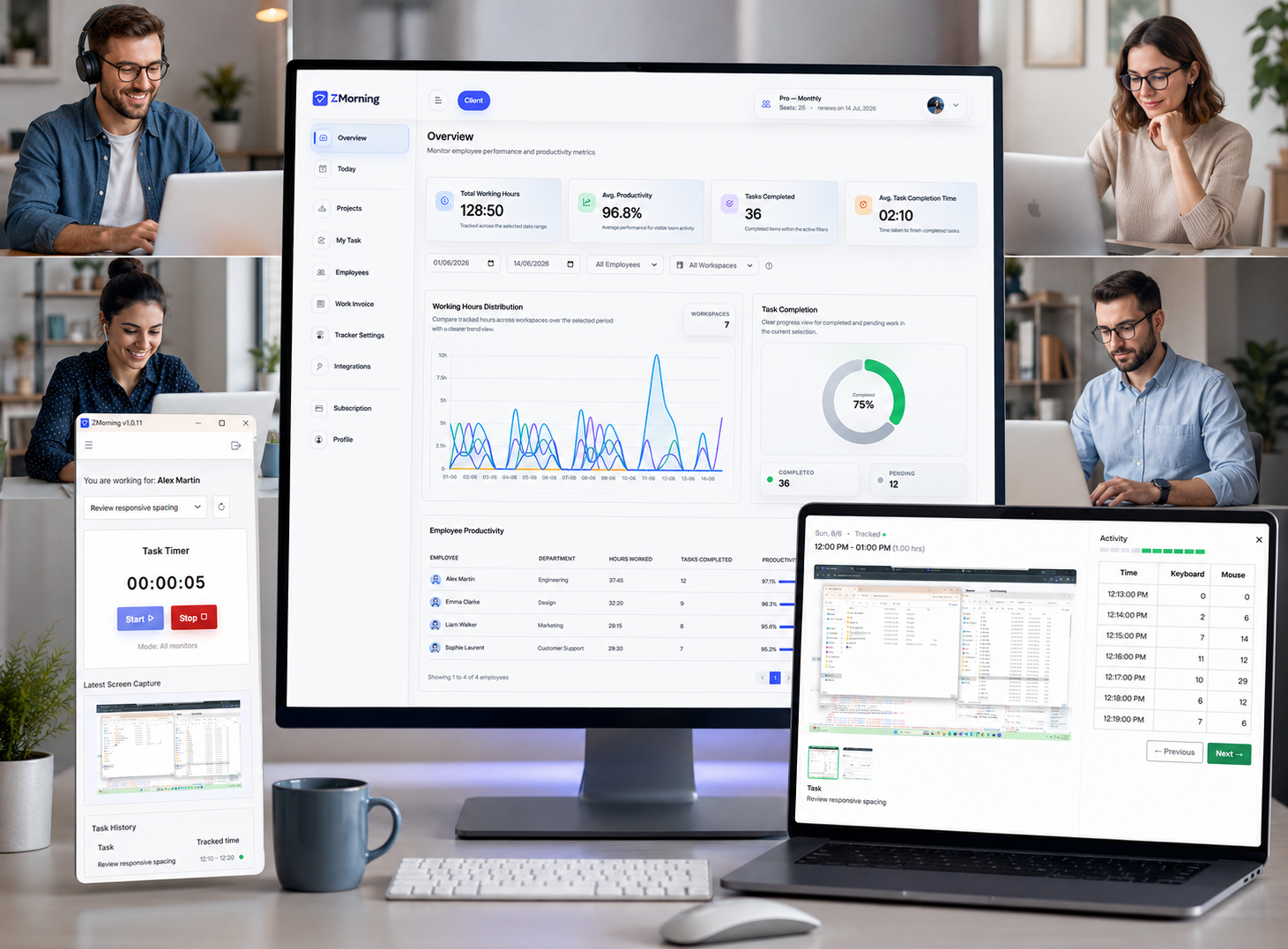
Why distributed teams lose clarity
Remote teams need clear hours, task context, and daily visibility. When those stay disconnected, managers spend more time chasing updates and less time managing delivery.
Hours without context
Tracked time needs task context, not isolated hour totals.
Task updates scattered
Progress becomes harder to trust when updates live across chats, logs, and check-ins.
Reactive oversight
Without screenshots and activity signals, oversight depends on follow-up and assumption.
Reporting takes effort
Reporting slows down when hours, visibility, and progress must be combined manually.
The result is slower decisions, weaker accountability, and more status chasing across the remote workday.
How remote team tracking stays connected
A short workflow for task-based tracking, visibility, and reporting.
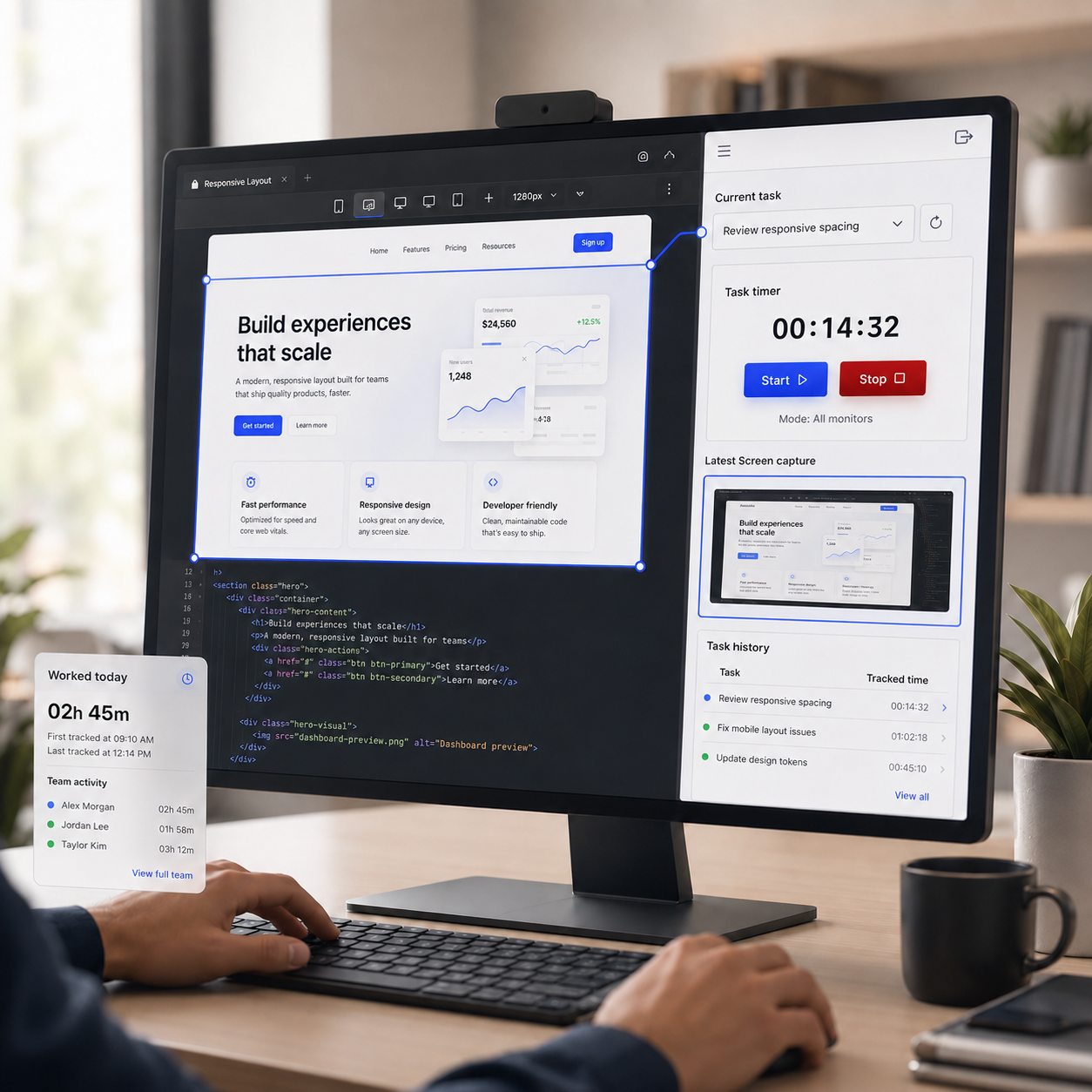
Track work against assigned tasks
Employees sign in, choose a task, and start the timer from the desktop app.
Explore employee time tracking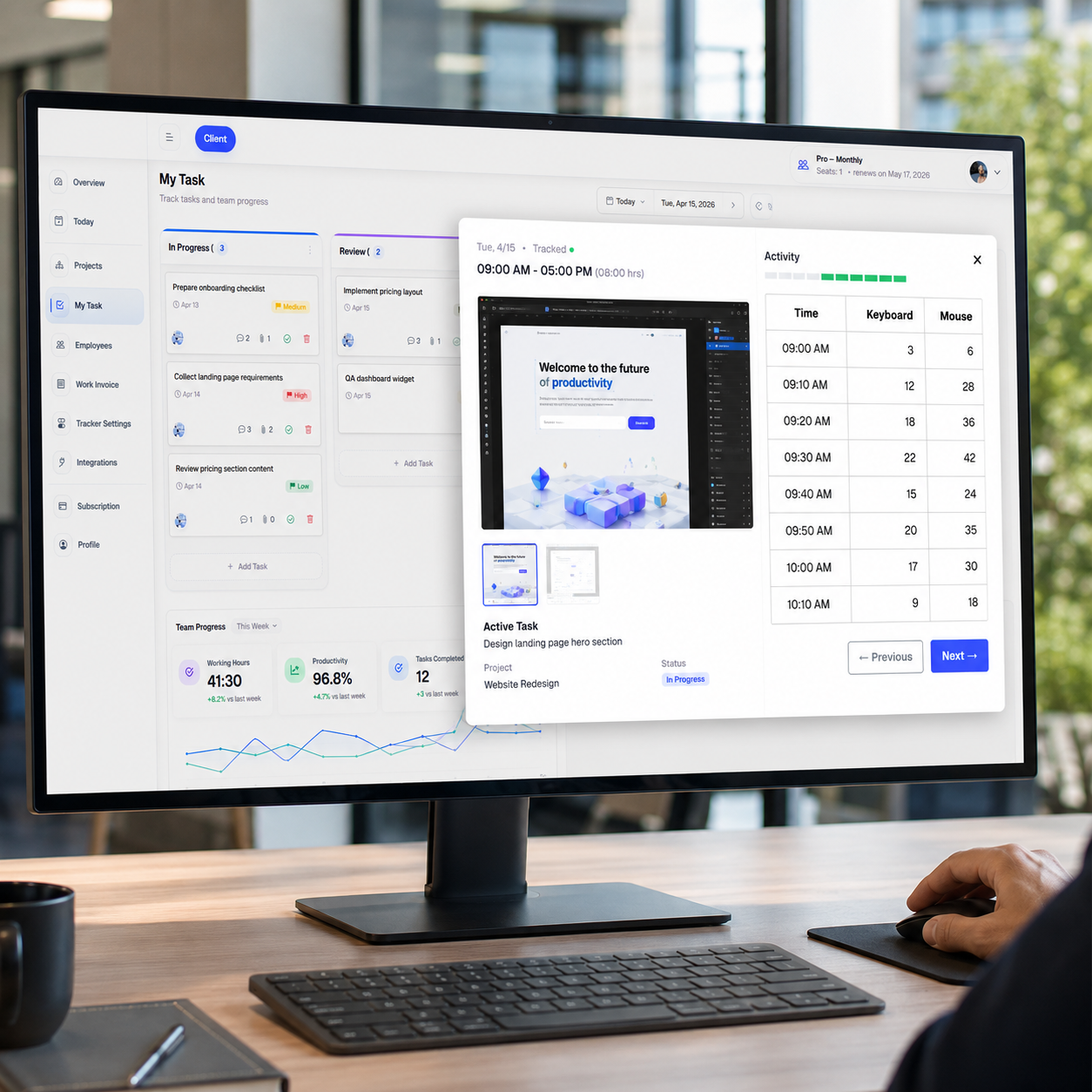
Review screenshots and activity
Managers review hours with screenshots, activity signals, and task-linked context.
See how it works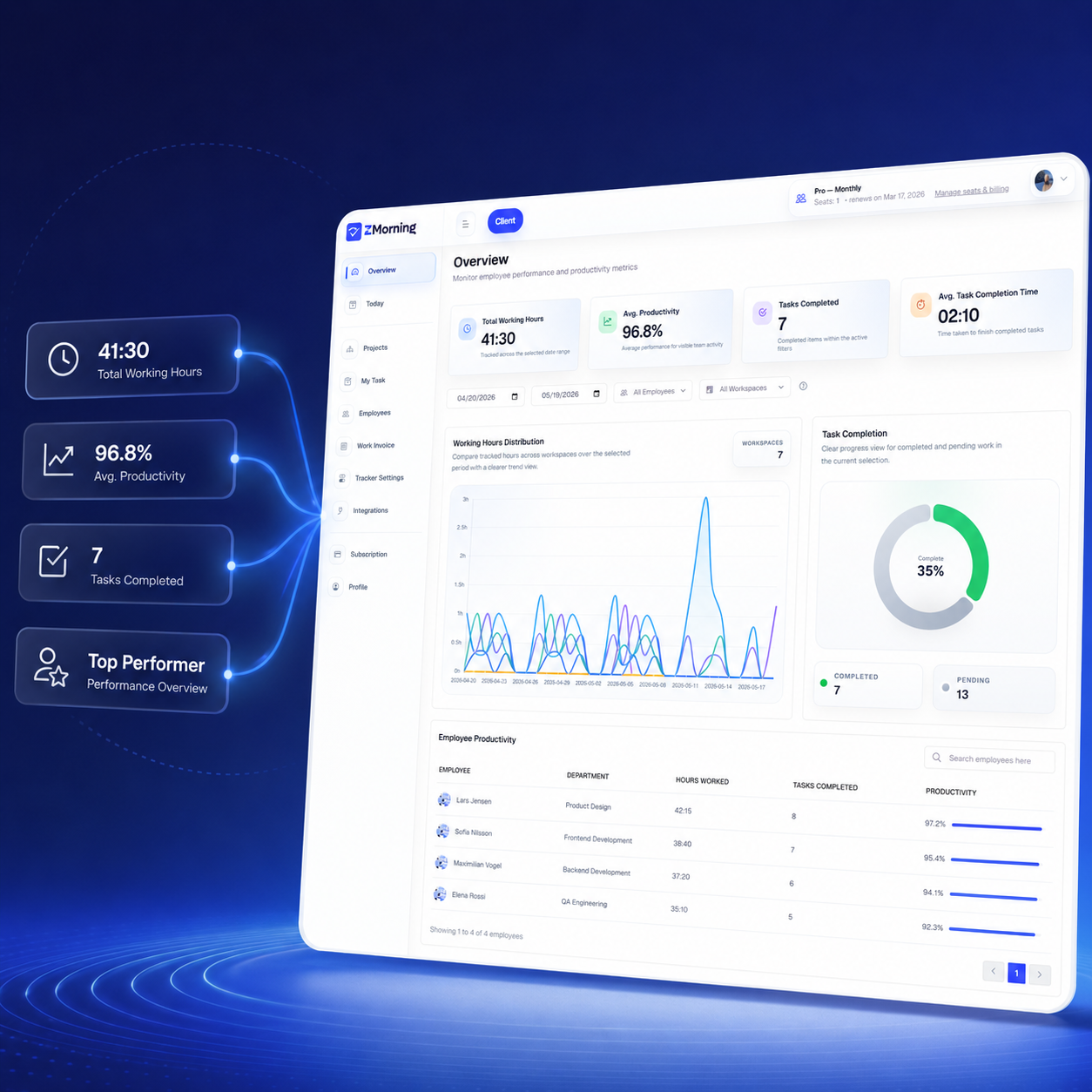
Turn tracked work into reports
Remote managers move faster from tracked work to reports, cost visibility, and invoice-ready records.
Explore reports and analyticsTracking controls that fit remote team policy
Keep oversight practical with configurable settings and a cleaner remote workflow.
Configurable tracking
Adjust screenshot, keyboard, and mouse tracking to match remote team policy.
Screenshot workflow
Keep remote review manageable with storage and screenshot handling controls.
Offline continuity
Let remote employees keep tracking when connectivity drops and sync later.
Multi-monitor support
Capture remote work more clearly for employees who work across more than one screen.
Tray control
Let employees start, stop, and manage tracking with less interruption during the remote workday.
Auto-update support
Keep the desktop app easier to maintain across distributed teams with a more reliable update workflow.
Turn remote work data into clearer decisions
ZMorning helps managers review distributed work with cleaner hours, visibility, and reporting from one source.
Team hours
Review remote work hours with task-linked context.
Reduce guesswork around daily tracked time.
Reports and insight
See productivity, progress, and visibility in one dashboard.
Give remote managers cleaner reporting for faster review.
Billing readiness
Move from tracked work to cost visibility and invoice-ready records.
Useful for remote client-facing and delivery teams.