Hours alone do not always give managers enough confidence.
When teams only review timers and totals, it becomes harder to understand how work happened, verify progress clearly, and keep remote oversight strong without extra follow-up.
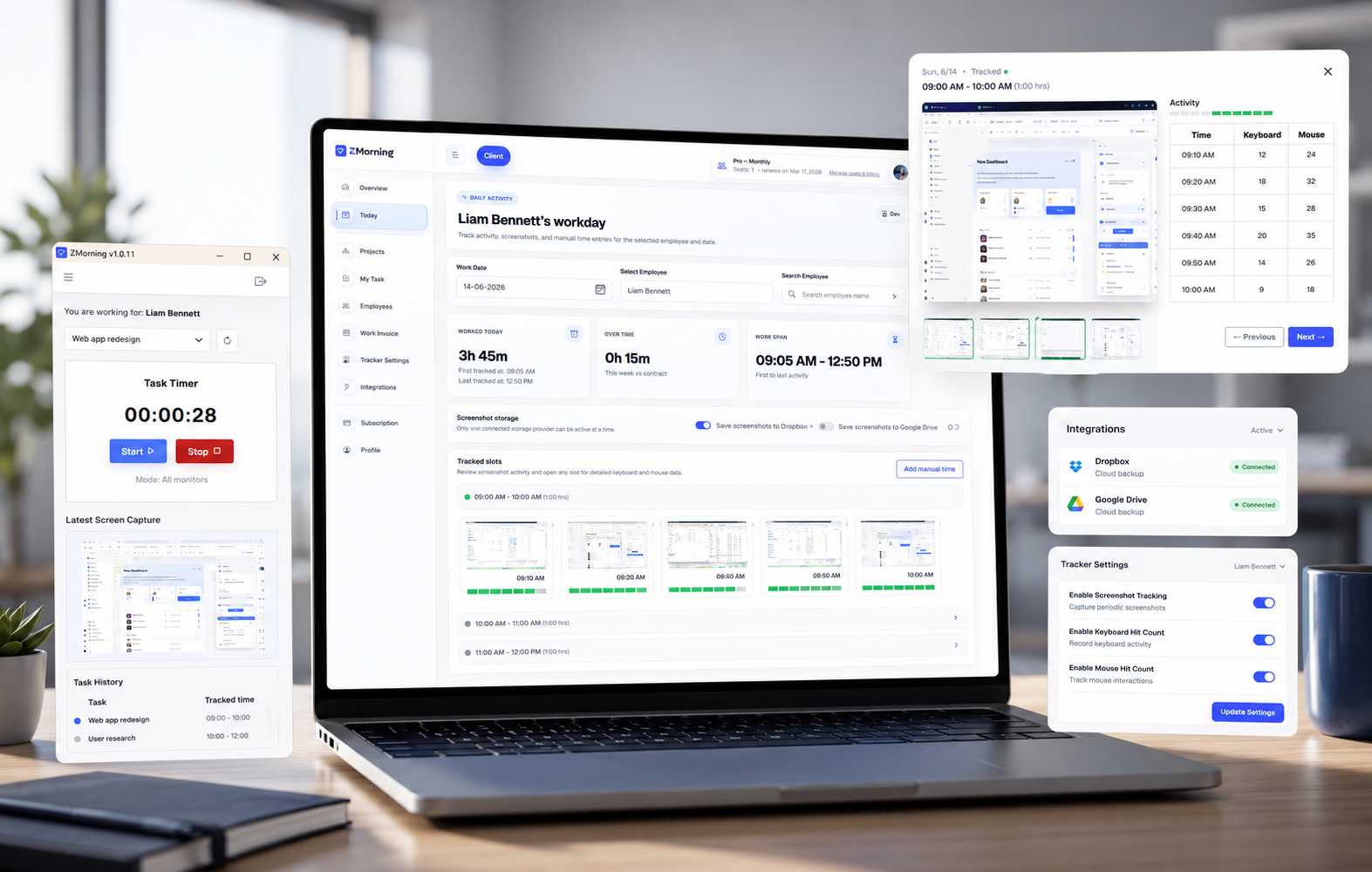
ZMorning captures visual work context during tracked sessions, so managers can review time with better proof of work while teams keep screenshot workflows controlled and operationally useful.
-
See work sessions in context
Screenshots help managers review tracked hours with a visual record of the work session instead of relying only on totals and later explanations.
-
Reduce manual follow-up
Because work sessions already carry screenshot history, teams spend less time reconstructing what happened through chat, calls, and extra check-ins.
-
Support remote accountability
Automatic screenshots give distributed teams a more dependable visibility layer without forcing employees into a heavier reporting routine.
-
Fit operational controls and storage workflows
Screenshots become easier to manage when teams can control how capture is used and keep storage workflows aligned with how the business operates.
-
Make manager review more reliable
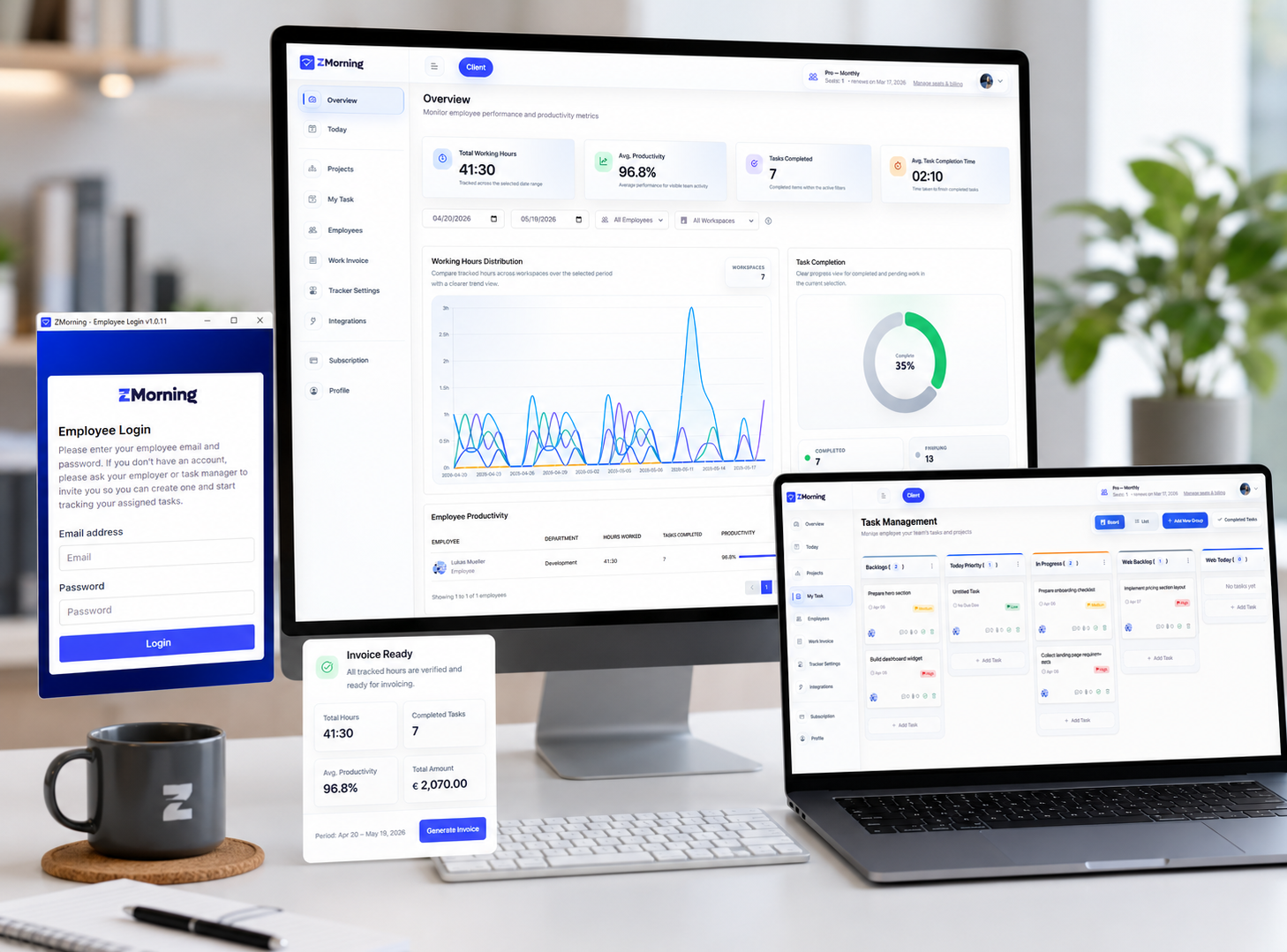
Screenshot history becomes more useful when it sits beside tracked time, task progress, and activity data inside one review workflow.
-
Strengthen reporting and billing records
Work records become easier to defend when screenshots support the tracked sessions behind project reporting, cost review, and invoice-ready records.
Automatic screenshots work best as part of a connected tracking workflow, not as a disconnected monitoring layer.