
Track billable work by task. Turn hours into cleaner invoices.
Task-based time tracking, proof of work, and invoice-ready records in one clean workflow.
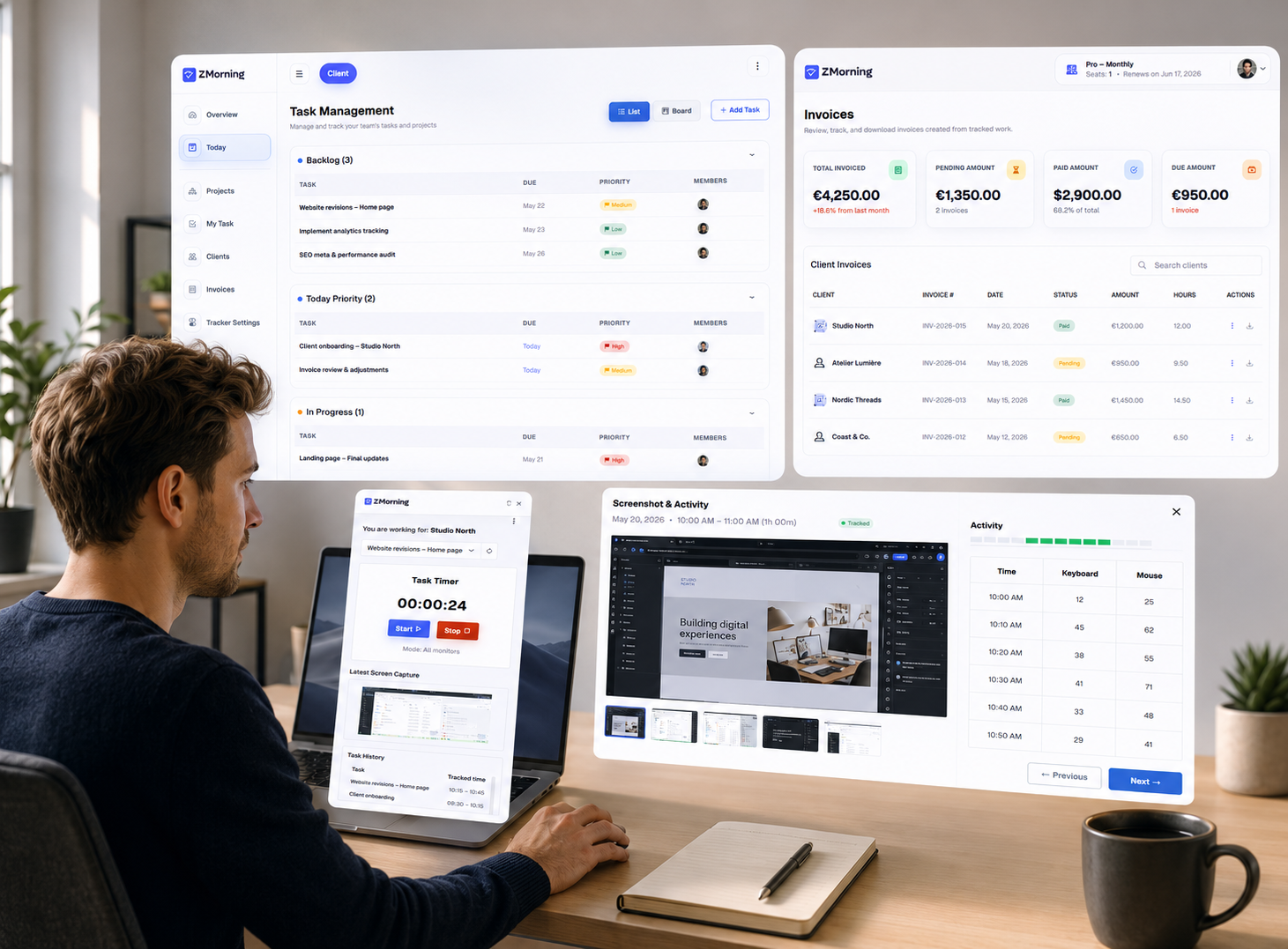
ZMorning helps freelancers track client work against real tasks, capture clear proof of work with screenshots and activity data, and move from tracked hours to reports and billing-ready records with less manual cleanup.
Why freelance work records get harder to trust
Freelancers need clear billable hours, task context, and proof of work. When those stay disconnected, reporting gets weaker and invoice preparation takes more effort.
Billable hours without task context
Client hours are harder to defend when tracked time is not tied to the actual task or delivery work.
Weak proof of work
Without screenshots or activity-backed records, client questions can lead to extra explanation and manual follow-up.
Client work scattered across tasks
When work updates live across chat, notes, and memory, it becomes harder to keep a clean client-facing record.
Invoice prep slows down
Billing takes longer when tracked hours, work proof, and project effort still need manual cleanup before invoicing.
The result is weaker client confidence, more admin overhead, and slower movement from tracked work to billing.
How freelance tracking stays clean from work session to invoice
A short workflow for task-based tracking, proof of work, and cleaner billing records.
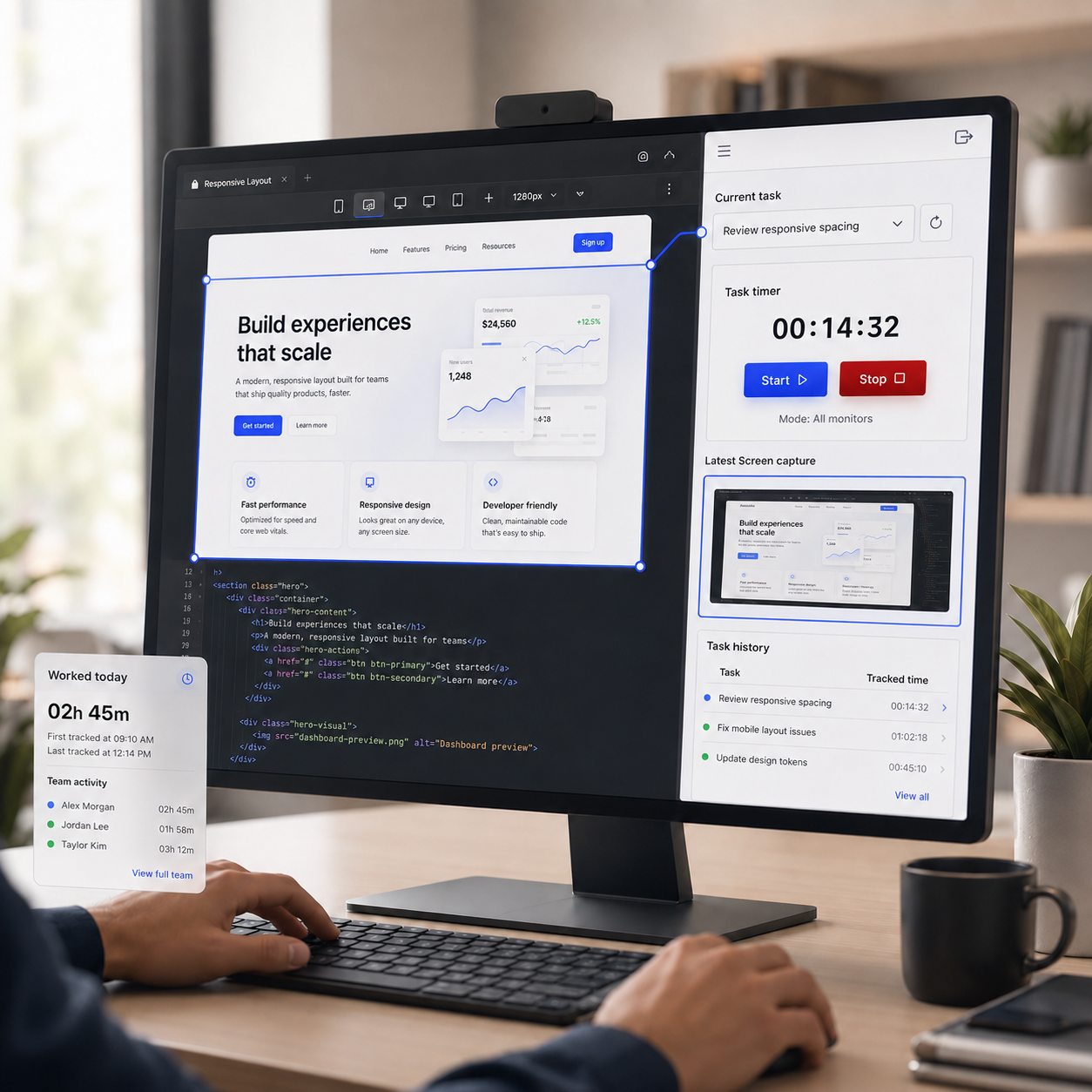
Track billable work against real tasks
Freelancers sign in, choose the active task, and start the timer so client hours stay connected to real work instead of vague totals.
Explore employee time tracking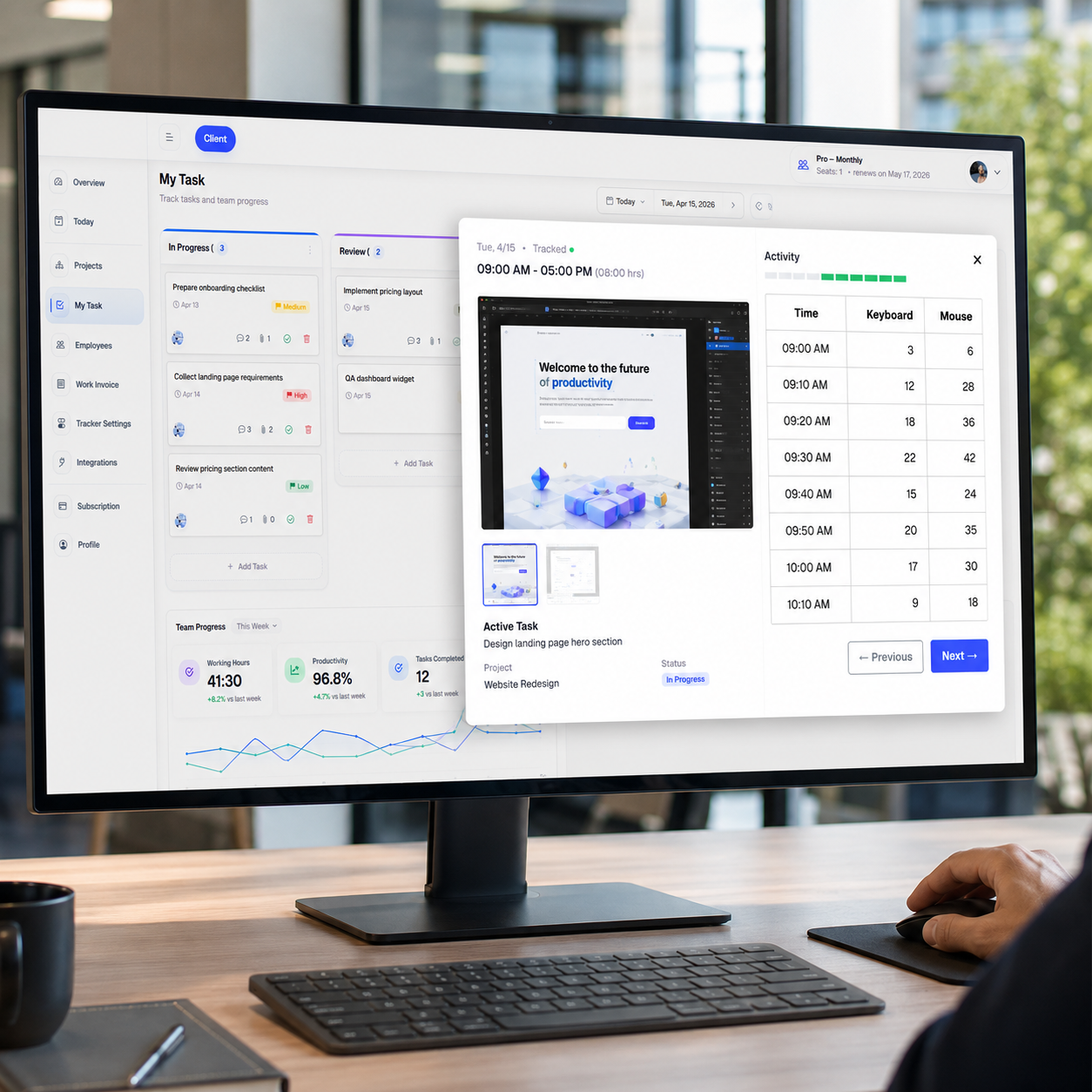
Keep proof of work ready when clients ask
Screenshots, activity data, and manual correction support help freelancers keep a stronger record behind tracked sessions when client review needs more context.
Explore automatic screenshots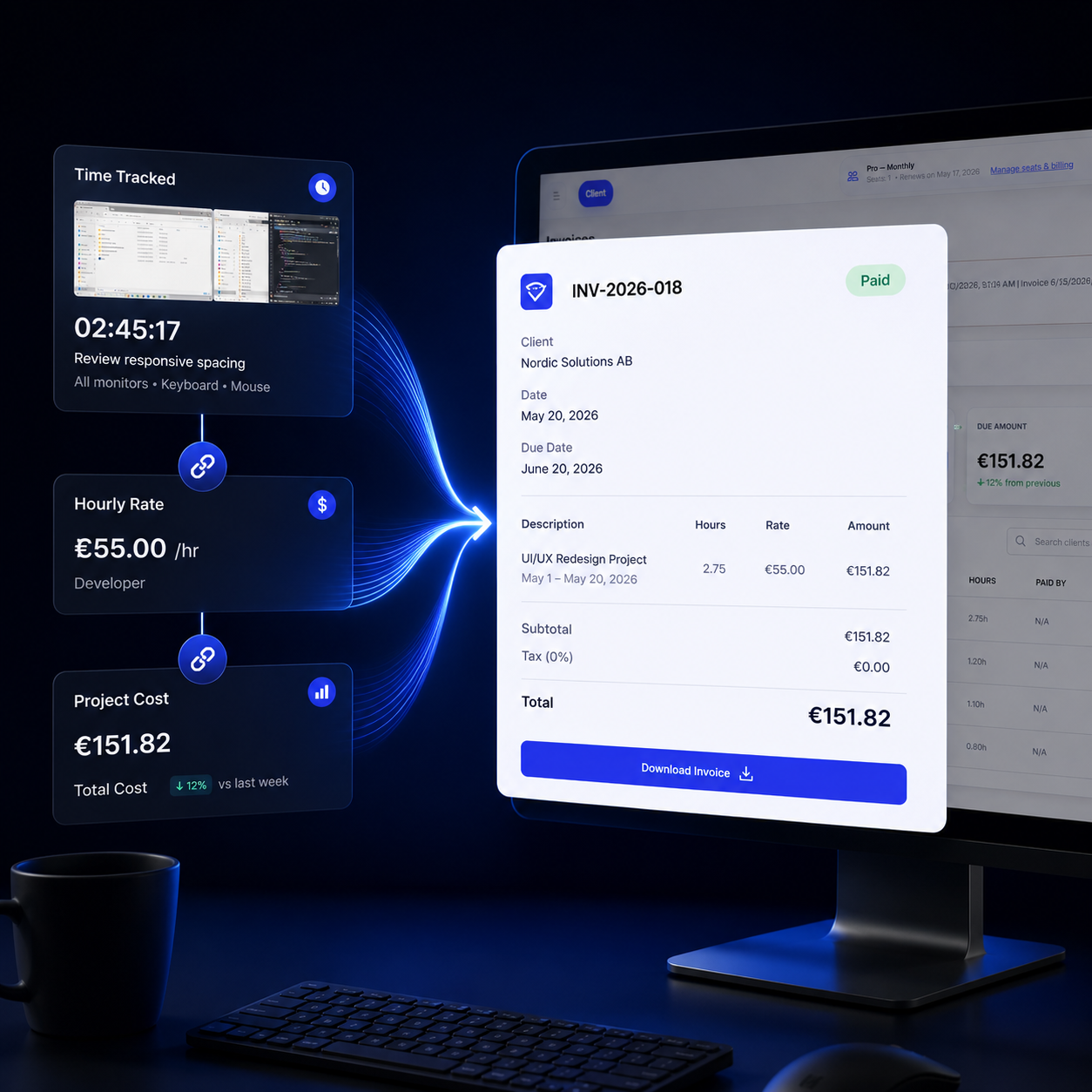
Turn tracked work into cleaner client billing
Freelancers can move faster from tracked work to reports, cost visibility, and invoice-ready records without rebuilding the work history manually.
Explore reports and analyticsTracking controls that keep freelance work records cleaner
Set up tracking in a way that supports client work, proof of work, and practical day-to-day operation.
Configurable tracking
Adjust screenshot, keyboard, and mouse tracking to match how you want client work documented.
Screenshot workflow
Keep screenshot review and storage more manageable when clients need clearer proof behind billed work.
Offline sync
Keep tracking active when connectivity drops, then sync records later without losing work history.
Tray control
Start, stop, and manage tracking with less interruption while moving through client tasks.
Multi-monitor support
Capture work more clearly when freelance delivery moves across more than one screen.
Auto-update support
Keep the desktop app easier to maintain so tracking stays reliable across ongoing client work.
Turn tracked freelance work into clearer client records
Review billable hours, keep proof of work closer to the task record, and prepare cleaner invoice-ready records.
Billable hours by task
Review tracked client hours with task-based context instead of vague totals.
See which tasks consumed time before billing or client review begins.
Client-ready visibility
Keep screenshots, activity context, and work records closer to the tracked session.
Answer client questions with cleaner work proof and less manual reconstruction.
Invoice-ready records
Move faster from tracked work to billing-ready records with less spreadsheet cleanup.
Support cleaner freelance invoicing with hours, context, and work history in one flow.