
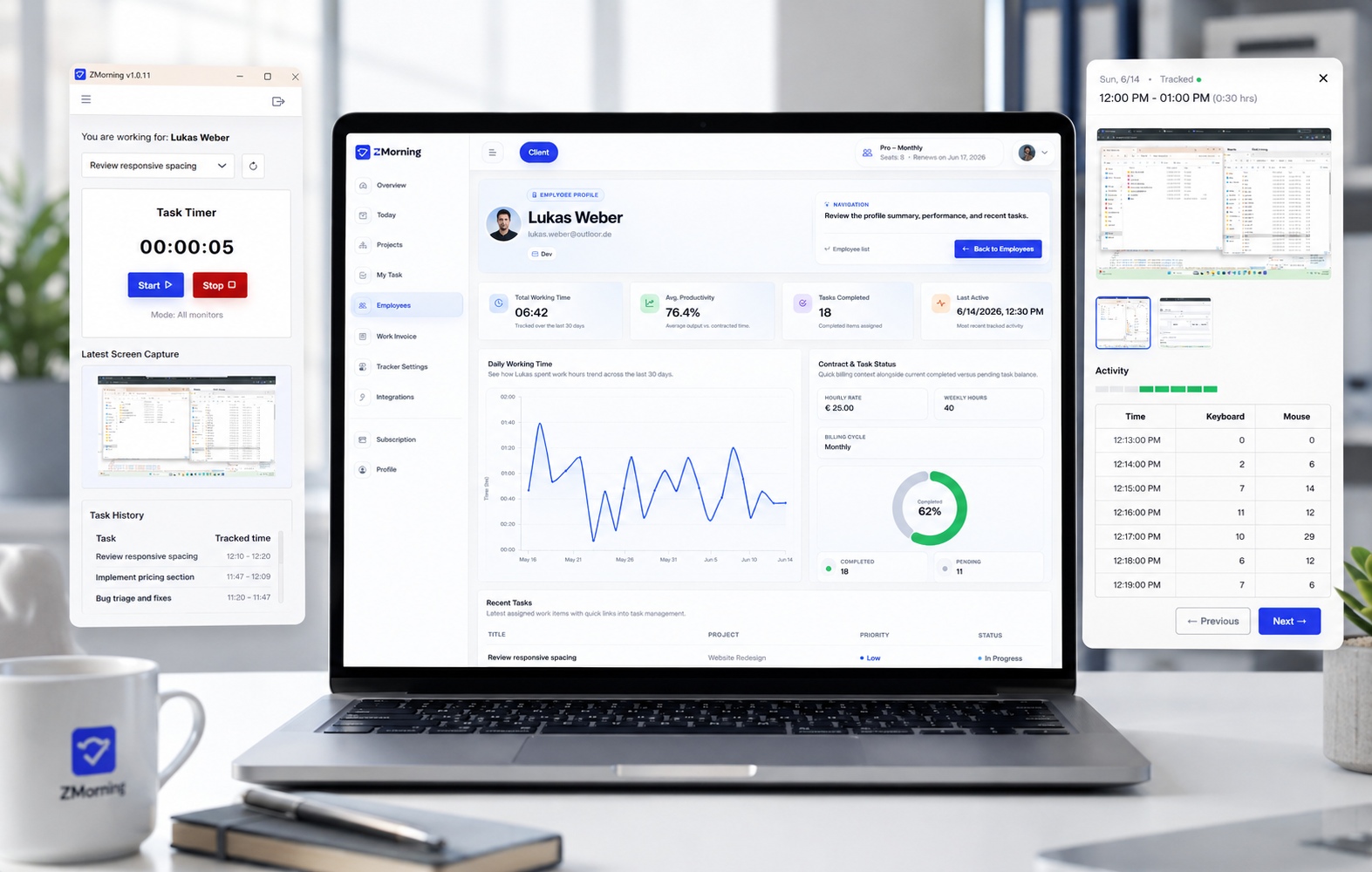
Keyboard and mouse activity

Understand work activity with more context than hours alone.

ZMorning records keyboard and mouse activity during tracked sessions so managers can review productivity signals alongside time, tasks, and screenshots in one clearer workflow.

Built for teams that need stronger visibility, configurable tracking controls, and more confident remote oversight.

ZMorning keyboard and mouse activity visibility dashboard
Why it matters

Hours tell you duration. Activity signals add working context.

When managers only see total hours, it becomes harder to judge work rhythm, review execution confidently, and understand whether tracked sessions reflect active progress.

What keyboard and mouse activity adds

ZMorning records activity signals during tracked sessions, giving managers an extra productivity layer that becomes much more useful when reviewed beside time, tasks, screenshots, reporting, and configurable tracking settings.

The result is stronger review confidence without forcing teams into more manual status reporting.

Activity signals work best as part of a broader work visibility system, not as disconnected raw metrics.
How it works

Activity signals become useful when they stay tied to tracked work.

ZMorning keeps keyboard and mouse activity inside the same workflow as time tracking, tasks, screenshots, and manager review.

01

The employee signs in to the desktop app, chooses the assigned task, and starts a tracked work session.

02

Keyboard and mouse activity is recorded during active tracked time, adding productivity signals without creating extra reporting work for the employee.

03

Those activity signals stay connected to the same tracked session, which makes them more useful than disconnected raw metrics.

04

Managers review activity beside screenshots, task progress, and tracked hours for a more complete view of team execution.

05

The result is clearer productivity visibility for reporting, oversight, configurable review workflows, and invoice-ready work records.

Activity visibility benefits

A stronger productivity signal inside your existing tracking workflow.

Keyboard and mouse activity becomes more valuable when it supports time tracking, screenshots, reporting, and manager review together.

Clearer productivity signals

See whether tracked sessions carried active work signals instead of relying only on total recorded hours after the fact.

Session-linked context

Activity stays tied to tracked sessions, which makes review more useful than disconnected productivity numbers.

Clearer remote oversight

Distributed teams are easier to monitor when managers can review productivity signals beside tracked work records.

Configurable tracking controls

Teams can decide how activity tracking is configured so review stays aligned with different employees, policies, and workflows.

Stronger reporting inputs

Reports become more informative when activity signals support hours, tasks, and screenshot history together.

Better with screenshots

Activity visibility becomes much more useful when managers can compare it with screenshot-backed work sessions.

Built for both sides of visibility

Lightweight for employees. More informative for managers.

Keyboard and mouse activity works best when employees keep a simple workflow and managers get stronger context for review, visibility, and reporting.

For employees

Activity is recorded during tracked work sessions, so employees do not need to stop and provide separate manual productivity updates.

The workflow stays centered on the desktop app, assigned tasks, and timer control instead of adding extra reporting steps.

Because work sessions already include stronger signals, employees spend less time repeating status explanations later.

For managers

Review tracked hours with extra activity context instead of depending only on totals and later follow-up.

Compare activity with screenshots, task progress, and report data to get a more complete picture of execution.

Use configurable tracking settings to support review policies, remote oversight, reporting, cost understanding, and invoice-ready records.

Frequently asked questions

View full FAQ
Start with clearer activity visibility

Give managers stronger productivity context without adding more reporting overhead.

Use keyboard and mouse activity to support clearer review, configurable tracking workflows, stronger remote oversight, and better work records.

Built for teams that want productivity visibility with context.

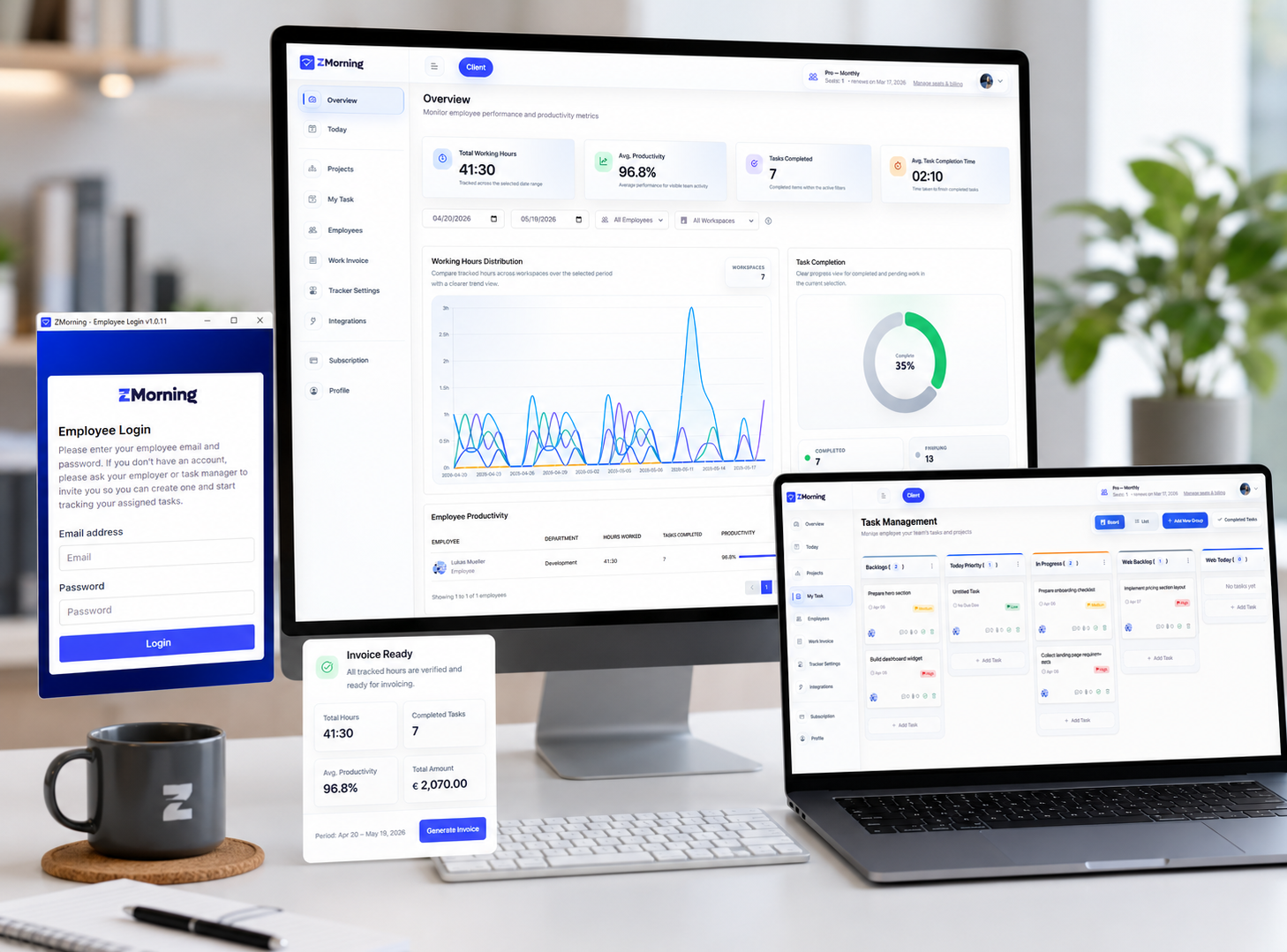
ZMorning activity visibility and manager review interface